Artificial intelligence has become an essential part of everyday work rather than a futuristic concept. From writing articles and generating code to creating videos, analyzing data, and automating repetitive tasks, AI tools are transforming how individuals and businesses operate.
Whether you’re a student, entrepreneur, content creator, developer, marketer, or business owner, choosing the right AI tool can save hours of work while improving the quality of your output.
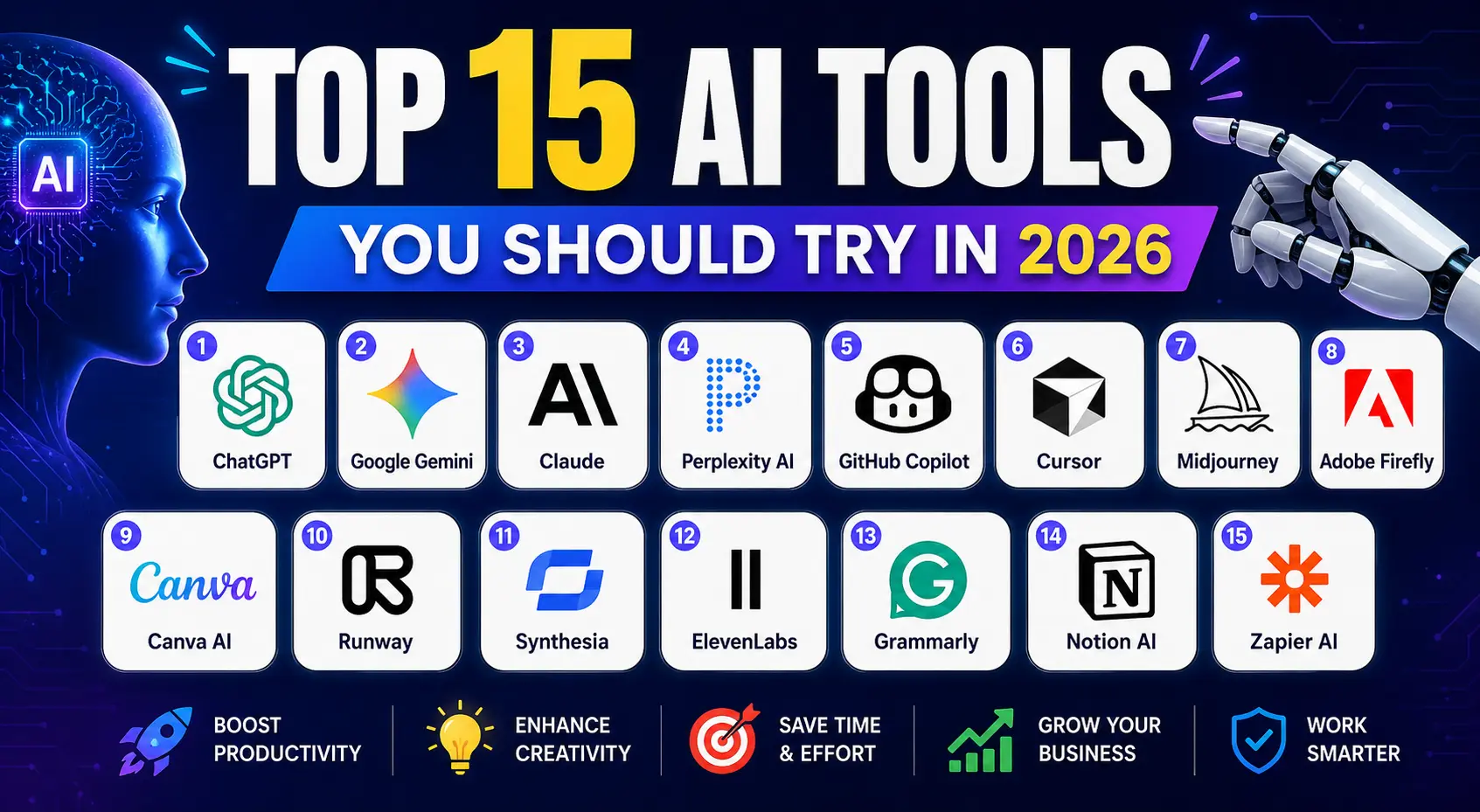
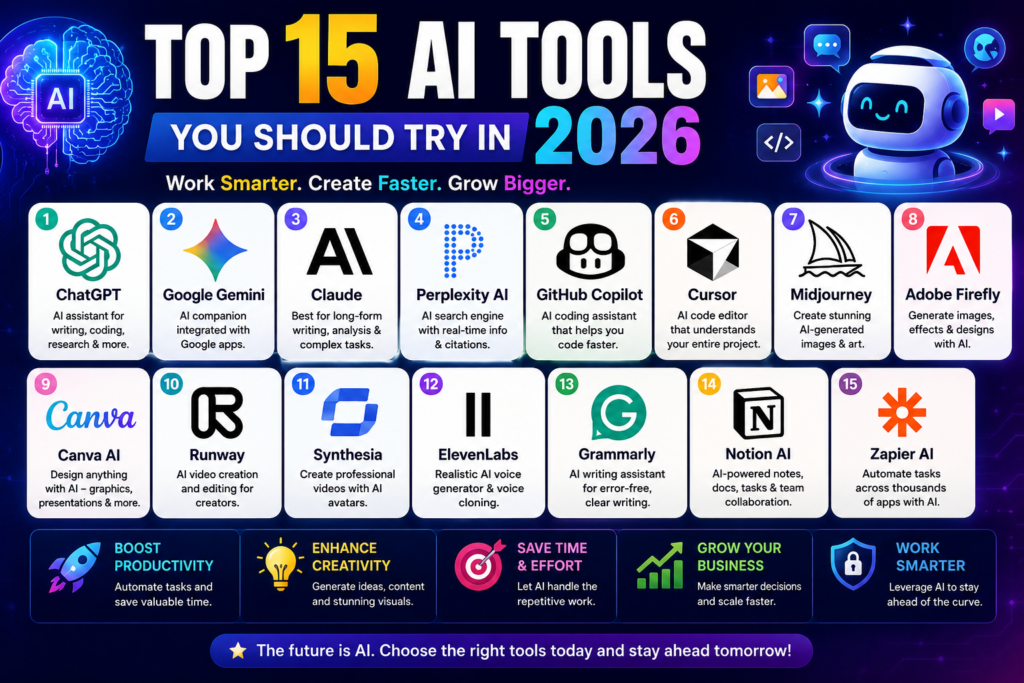
In this guide, we review the top 15 AI tools you should try in 2026, highlighting their features, strengths, ideal use cases, and why they stand out in an increasingly competitive AI landscape.
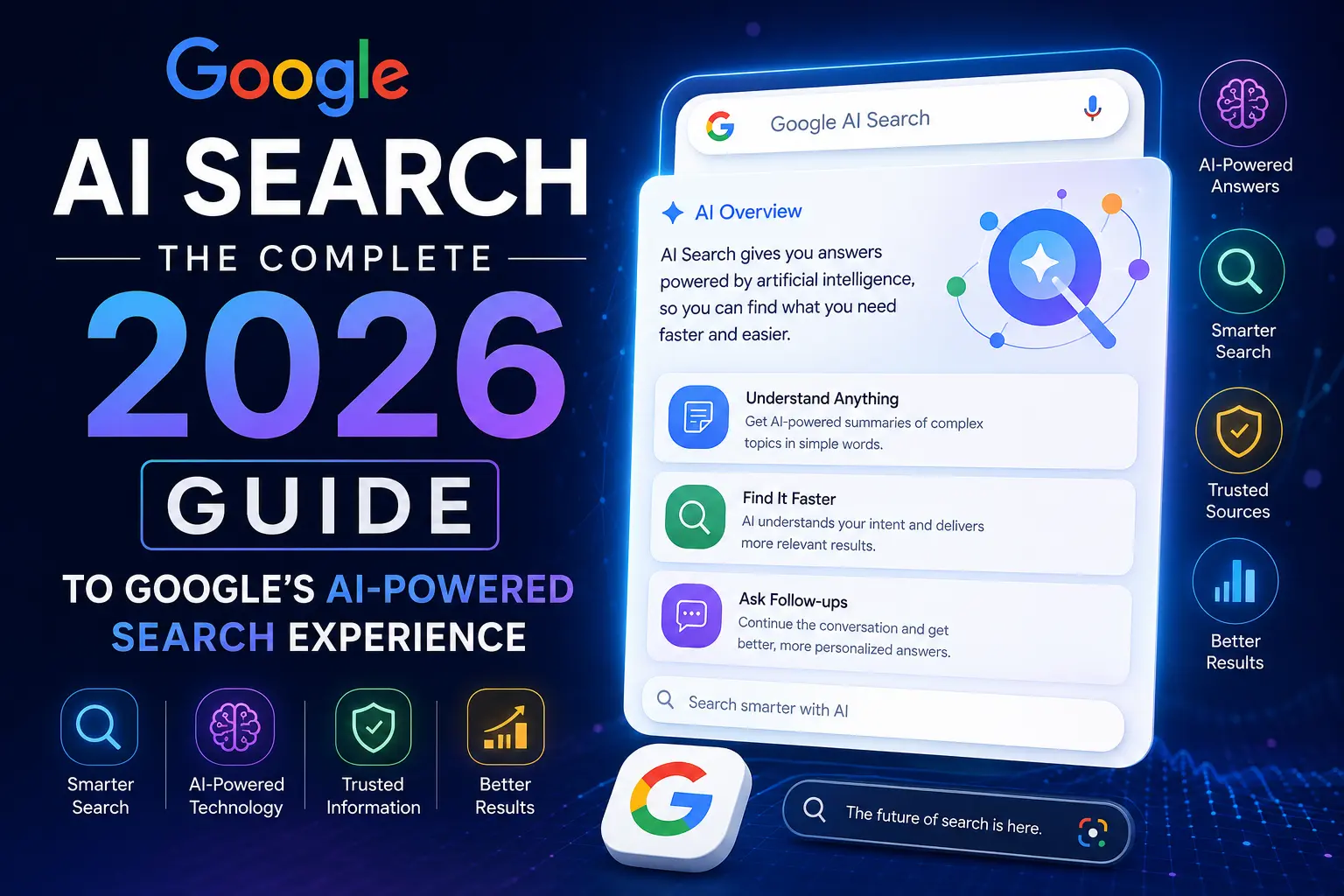
If you’re interested in how search itself is evolving with AI, read our guide on Google AI Search:
Quick Comparison Table
| AI Tool | Best For | Free Plan | Overall Rating |
|---|---|---|---|
| ChatGPT | Writing, Coding, Research | Yes | ⭐⭐⭐⭐⭐ |
| Google Gemini | Google Workspace & Research | Yes | ⭐⭐⭐⭐⭐ |
| Claude | Long-form Writing & Analysis | Yes | ⭐⭐⭐⭐⭐ |
| Perplexity AI | AI Search & Research | Yes | ⭐⭐⭐⭐⭐ |
| GitHub Copilot | Programming | Trial | ⭐⭐⭐⭐⭐ |
| Cursor | AI Coding | Yes | ⭐⭐⭐⭐⭐ |
| Midjourney | AI Images | No | ⭐⭐⭐⭐☆ |
| Adobe Firefly | Creative Design | Yes | ⭐⭐⭐⭐⭐ |
| Canva AI | Graphic Design | Yes | ⭐⭐⭐⭐⭐ |
| Runway | AI Video | Yes | ⭐⭐⭐⭐☆ |
| Synthesia | AI Avatars | Trial | ⭐⭐⭐⭐⭐ |
| ElevenLabs | AI Voice | Yes | ⭐⭐⭐⭐⭐ |
| Grammarly | Writing | Yes | ⭐⭐⭐⭐⭐ |
| Notion AI | Productivity | Trial | ⭐⭐⭐⭐⭐ |
| Zapier AI | Automation | Yes | ⭐⭐⭐⭐⭐ |
Table of Contents
1. ChatGPT – Best Overall AI Assistant
Official Website: https://chatgpt.com
ChatGPT continues to be one of the most versatile AI assistants available. It can help users write articles, summarize documents, generate code, solve technical problems, brainstorm ideas, translate languages, and much more.
Its multimodal capabilities allow users to work with text, images, files, and advanced reasoning, making it suitable for both personal and professional tasks.
Best For
- Content writers
- Developers
- Students
- Researchers
- Business professionals
- Bloggers
Key Features
- Natural conversations
- Coding assistance
- Image understanding
- Data analysis
- File uploads
- Brainstorming
- Writing support
- Translation
- Marketing content
Pros
- Extremely versatile
- Fast responses
- Supports multiple workflows
- Strong coding capabilities
- Excellent writing quality
Cons
- Advanced features require a paid subscription.
Why We Recommend It
If you need one AI tool that can handle almost every task—from writing and coding to planning projects—ChatGPT is an excellent choice.
2. Google Gemini – Best for Google Users
Official Website: https://gemini.google.com
Google Gemini integrates deeply with Google’s ecosystem, making it especially useful for users of Gmail, Docs, Drive, Sheets, and other Google services.
Its strong reasoning abilities and multimodal features allow users to analyze documents, answer complex questions, and collaborate more efficiently.
Best For
- Google Workspace users
- Students
- Researchers
- Businesses
Key Features
- Deep Google integration
- Multimodal AI
- Document analysis
- Research assistance
- Coding support
- Productivity enhancements
Pros
- Excellent integration with Google services
- Fast responses
- Great research capabilities
Cons
- Some advanced capabilities are subscription-based.
3. Claude – Best for Long Documents
Official Website: https://claude.ai
Claude excels at handling long-form documents, reports, books, contracts, and complex business workflows.
It produces well-structured responses while maintaining context across lengthy conversations.
Best For
- Researchers
- Lawyers
- Technical writers
- Businesses
- Analysts
Key Features
- Large context window
- Long document analysis
- Professional writing
- Summarization
- Brainstorming
Pros
- Excellent reasoning
- Handles large files effectively
- Produces natural, polished writing
Cons
- Availability varies by region.
4. Perplexity AI – Best AI Search Engine
Official Website: https://www.perplexity.ai
Perplexity AI combines conversational AI with web search, providing answers that include citations and links to supporting sources. This makes it particularly valuable for research, fact-checking, and staying up to date with current information.
Best For
- Researchers
- Journalists
- Students
- Content creators
- Professionals
Key Features
- Real-time web search
- Source citations
- AI summaries
- Research mode
- Follow-up questions
Pros
- Transparent sourcing
- Excellent for factual research
- Simple interface
Cons
- Some advanced features require a paid plan.
5. GitHub Copilot – Best AI Coding Assistant
Official Website: https://github.com/features/copilot
GitHub Copilot helps developers write code faster by suggesting functions, completing lines of code, generating tests, explaining code, and assisting with debugging directly inside supported development environments.
Best For
- Software engineers
- Laravel developers
- Python developers
- JavaScript developers
- Enterprise teams
Key Features
- Code completion
- Bug fixing
- Code explanation
- Unit test generation
- Multiple language support
- IDE integration
Pros
- Speeds up software development
- Excellent language support
- Improves productivity
- Learns from project context
Cons
- Works best with an active internet connection and supported development environments.
6. Cursor – Best AI Code Editor
Official Website: https://cursor.com
Cursor is one of the fastest-growing AI-powered code editors. Built with AI at its core, it helps developers write, refactor, debug, and understand code more efficiently than traditional editors.
Unlike standard autocomplete tools, Cursor understands your entire project and can make intelligent suggestions across multiple files.
Best For
- Software developers
- Laravel developers
- Python programmers
- JavaScript developers
- Startup teams
Key Features
- AI-powered code generation
- Project-wide code understanding
- Smart debugging assistance
- Natural language code editing
- Terminal command suggestions
- Multi-file refactoring
Pros
- Excellent coding experience
- Saves significant development time
- Easy to learn
- Supports many programming languages
Cons
- Advanced features require a paid subscription.
7. Midjourney – Best AI Image Generator
Official Website: https://www.midjourney.com
Midjourney is renowned for creating stunning AI-generated artwork from simple text prompts. Designers, marketers, bloggers, and creative professionals use it to produce eye-catching visuals for websites, advertisements, presentations, and social media.
Best For
- Graphic designers
- Bloggers
- Marketing agencies
- Content creators
- Digital artists
Key Features
- High-quality AI artwork
- Photorealistic images
- Multiple artistic styles
- Fast image generation
- Commercial usage options
Pros
- Exceptional image quality
- Creative flexibility
- Regular feature updates
Cons
- No permanent free plan.
- Requires prompt-writing skills for the best results.
8. Adobe Firefly – Best AI Tool for Creative Professionals
Official Website: https://firefly.adobe.com
Adobe Firefly brings generative AI directly into Adobe’s creative ecosystem. It helps users create images, generate text effects, edit photos, expand backgrounds, and speed up professional design workflows.
For teams already using Photoshop, Illustrator, or Express, Firefly integrates naturally into existing projects.
Best For
- Designers
- Marketing teams
- Branding agencies
- Creative professionals
Key Features
- Text-to-image generation
- Generative Fill
- Background expansion
- AI text effects
- Commercial-safe workflows
- Adobe Creative Cloud integration
Pros
- Easy integration with Adobe products
- High-quality creative output
- User-friendly interface
Cons
- Some premium features require an Adobe subscription.
9. Canva AI – Best AI Design Platform
Official Website: https://www.canva.com
Canva has evolved into a comprehensive AI-powered design platform. Its AI features simplify creating presentations, logos, social media graphics, infographics, documents, videos, and marketing materials—even for users with no design experience.
Best For
- Bloggers
- Small businesses
- Social media managers
- Students
- Marketing teams
Key Features
- Magic Design
- Magic Write
- AI image generation
- Presentation builder
- Background remover
- Brand Kit
- Video editing
Pros
- Beginner-friendly
- Huge template library
- Cloud-based collaboration
- Excellent value
Cons
- Some advanced tools require Canva Pro.
10. Runway – Best AI Video Generator
Official Website: https://runwayml.com
Runway is a leading AI video platform that enables creators to generate, edit, and enhance videos using artificial intelligence. It supports text-to-video, image-to-video, background removal, motion tracking, and professional editing features.
Best For
- YouTubers
- Filmmakers
- Digital marketers
- Video editors
- Agencies
Key Features
- Text-to-video
- AI video editing
- Motion tracking
- Background removal
- Image animation
- High-resolution exports
Pros
- Powerful AI video capabilities
- Easy-to-use interface
- Frequent feature updates
Cons
- High-end rendering may consume credits quickly.
Which Tool Should You Choose?
Your ideal AI tool depends on your goals:
| If You Want To… | Recommended Tool |
|---|---|
| Write articles and emails | ChatGPT, Claude |
| Research current information | Perplexity AI |
| Build software | GitHub Copilot, Cursor |
| Create images | Midjourney, Adobe Firefly |
| Design graphics | Canva AI |
| Produce AI videos | Runway |
| Improve productivity | Google Gemini |
Linking these articles together helps build topical authority and improves user navigation, which benefits both traditional SEO and AI-driven search experiences.
11. Synthesia – Best AI Video Avatar Platform
Official Website: https://www.synthesia.io
Synthesia enables users to create professional videos without cameras, microphones, or actors. Simply enter your script, choose an AI avatar, and generate a polished video in minutes.
Businesses worldwide use Synthesia for employee training, product demos, marketing campaigns, customer support, and e-learning content.
Best For
- Corporate training
- E-learning platforms
- Marketing teams
- HR departments
- Product demonstrations
Key Features
- 230+ AI avatars
- 140+ supported languages
- AI voiceovers
- Screen recording
- Custom brand templates
- Team collaboration
Pros
- Professional-quality videos
- No video editing experience required
- Supports multiple languages
- Saves production costs
Cons
- Premium plans are needed for advanced features and custom avatars.
12. ElevenLabs – Best AI Voice Generator
Official Website: https://elevenlabs.io
ElevenLabs is one of the most advanced AI voice platforms available. It creates highly realistic speech from text and supports voice cloning, dubbing, and multilingual narration.
It’s widely used for podcasts, YouTube videos, audiobooks, games, customer support, and educational content.
Best For
- Content creators
- YouTubers
- Podcasters
- Publishers
- Businesses
Key Features
- Natural text-to-speech
- Voice cloning
- AI dubbing
- Multilingual support
- Voice library
- API access
Pros
- Exceptional voice quality
- Fast rendering
- Wide language support
- Easy integration
Cons
- Voice cloning should always be used responsibly and with appropriate permission.
13. Grammarly – Best AI Writing Assistant
Official Website: https://www.grammarly.com
Grammarly has evolved beyond grammar checking into a comprehensive AI writing assistant. It helps improve clarity, tone, style, and readability while also offering AI-powered drafting and rewriting features.
Whether you’re writing emails, reports, blog posts, or academic papers, Grammarly helps produce polished and professional content.
Best For
- Bloggers
- Students
- Professionals
- Business teams
- Content marketers
Key Features
- Grammar correction
- Spelling checks
- Tone suggestions
- AI rewriting
- Plagiarism detection (selected plans)
- Browser extension
Pros
- Improves writing quality
- Easy to use
- Works across many applications
- Excellent for business communication
Cons
- Some advanced AI features require a paid subscription.
14. Notion AI – Best AI Productivity Workspace
Official Website: https://www.notion.so/product/ai
Notion AI combines note-taking, project management, documentation, and artificial intelligence into a single workspace. It can summarize notes, draft documents, brainstorm ideas, organize projects, and answer questions from your workspace.
For teams managing knowledge bases and collaborative projects, Notion AI can significantly improve productivity.
Best For
- Teams
- Project managers
- Startups
- Students
- Knowledge workers
Key Features
- AI writing
- Meeting summaries
- Task management
- Knowledge search
- Workspace Q&A
- Project planning
Pros
- Excellent collaboration
- Centralized knowledge management
- Time-saving automation
- Clean interface
Cons
- Requires some setup to get the most value from complex workspaces.
15. Zapier AI – Best AI Automation Platform
Official Website: https://zapier.com
Zapier AI helps connect thousands of applications and automate repetitive workflows without requiring programming knowledge. Users can create AI-enhanced automations that save time and reduce manual work.
Examples include automatically summarizing emails, routing customer inquiries, updating spreadsheets, and generating reports.
Best For
- Small businesses
- Marketing teams
- Sales teams
- Entrepreneurs
- Operations managers
Key Features
- AI-powered workflow creation
- Thousands of app integrations
- No-code automation
- Email automation
- CRM integration
- Productivity enhancements
Pros
- Easy to use
- Extensive integration library
- Reduces repetitive tasks
- Scales with business needs
Cons
- Complex workflows may require higher-tier plans.
Comparison: Which AI Tool Fits Your Needs?
| Category | Recommended Tool |
|---|---|
| Best Overall AI Assistant | ChatGPT |
| Best for Google Ecosystem | Google Gemini |
| Best for Long-Form Analysis | Claude |
| Best AI Search Engine | Perplexity AI |
| Best Coding Assistant | GitHub Copilot |
| Best AI Code Editor | Cursor |
| Best AI Image Generator | Midjourney |
| Best Creative Design AI | Adobe Firefly |
| Best Graphic Design Platform | Canva AI |
| Best AI Video Editor | Runway |
| Best AI Avatar Videos | Synthesia |
| Best AI Voice Generator | ElevenLabs |
| Best Writing Assistant | Grammarly |
| Best Productivity Workspace | Notion AI |
| Best Workflow Automation | Zapier AI |
How to Choose the Right AI Tool
With hundreds of AI applications now available, choosing the right one depends on your goals rather than simply selecting the most popular platform. Consider the following factors before making a decision.
1. Define Your Primary Use Case
Start by identifying what you need AI to accomplish.
- Writing articles and emails
- Software development
- Graphic design
- Video creation
- Research
- Business automation
- Customer support
- Education
Different tools excel in different areas, so matching the tool to your workflow will deliver the best results.
2. Compare Features
Evaluate whether a tool offers:
- AI chat
- Image generation
- Video generation
- Voice synthesis
- Code assistance
- API access
- Team collaboration
- Integrations with your existing software
3. Consider Ease of Use
A powerful tool is only valuable if your team can use it effectively. Look for intuitive interfaces, helpful documentation, and active product support.
4. Review Pricing
Many leading AI platforms provide free plans with optional premium subscriptions. Compare pricing based on:
- Monthly cost
- Usage limits
- Team features
- Commercial licensing
- API pricing
5. Prioritize Security
Businesses should review:
- Data privacy policies
- Compliance certifications
- Enterprise security
- User permission controls
- Data retention practices
AI Trends to Watch in 2026
Artificial intelligence continues to evolve rapidly. These trends are expected to shape the industry throughout 2026.
AI Agents
AI systems are increasingly capable of completing multi-step tasks with minimal supervision, helping users automate research, planning, and routine workflows.
Multimodal AI
Modern AI models can understand and generate combinations of text, images, audio, video, and code within a single conversation.
AI Search
Search engines are moving beyond keyword matching to provide AI-generated summaries and conversational answers while still directing users to authoritative sources.
Enterprise AI
Organizations are integrating AI into customer service, finance, HR, marketing, and software development to improve efficiency and decision-making.
Responsible AI
Transparency, privacy, bias mitigation, and human oversight are becoming central considerations as AI adoption grows.
SEO, GEO, and AEO Tips for AI-Related Content
To maximize visibility in both traditional search engines and AI-powered answer systems:
- Publish original, expert-written content.
- Answer the primary question within the opening paragraphs.
- Use descriptive headings and logical structure.
- Include comparison tables where helpful.
- Add FAQ sections that address common user questions.
- Keep information accurate and up to date.
- Link to relevant internal resources.
- Reference official sources for product information.
- Optimize page speed and mobile usability.
- Demonstrate real expertise through examples and practical guidance.
Frequently Asked Questions
What is the best AI tool in 2026?
There is no single best AI tool for everyone. ChatGPT is highly versatile, while specialized tools such as GitHub Copilot, Midjourney, Synthesia, and Grammarly are excellent for coding, image creation, video production, and writing respectively.
Are AI tools free?
Many AI platforms offer free plans with optional paid upgrades that unlock higher usage limits and advanced features.
Which AI tool is best for students?
Students often benefit from ChatGPT, Google Gemini, Claude, Grammarly, and Notion AI for research, writing, organization, and study support.
Which AI tool is best for programmers?
GitHub Copilot and Cursor are among the leading choices for software developers due to their coding assistance, debugging, and project-aware suggestions.
Can AI replace human creativity?
AI can accelerate brainstorming, drafting, and production, but human creativity, judgment, and expertise remain essential for producing original, trustworthy, and engaging work.
Are AI-generated images safe for commercial use?
Usage rights vary by platform and subscription. Always review the official licensing terms before using AI-generated content commercially.
Likewise, add links from those articles back to this guide using natural anchor text such as best AI tools, AI productivity software, or AI applications for business
Conclusion
Artificial intelligence is no longer limited to technology companies or software developers. It has become an everyday productivity tool that helps people write faster, design better, code more efficiently, create engaging videos, automate workflows, and make informed decisions.
The right AI tool depends on your goals. Writers may prefer ChatGPT or Claude, developers can benefit from GitHub Copilot and Cursor, designers may choose Midjourney or Adobe Firefly, while businesses can improve efficiency with Notion AI, Synthesia, ElevenLabs, and Zapier AI.
Rather than relying on a single application, many professionals achieve the best results by combining multiple AI tools into a connected workflow.
As AI continues to evolve, staying informed about new capabilities and updating your toolkit will help you remain productive and competitive. Bookmark this guide and revisit it regularly, as we will continue updating it with the latest developments and emerging AI platforms.