
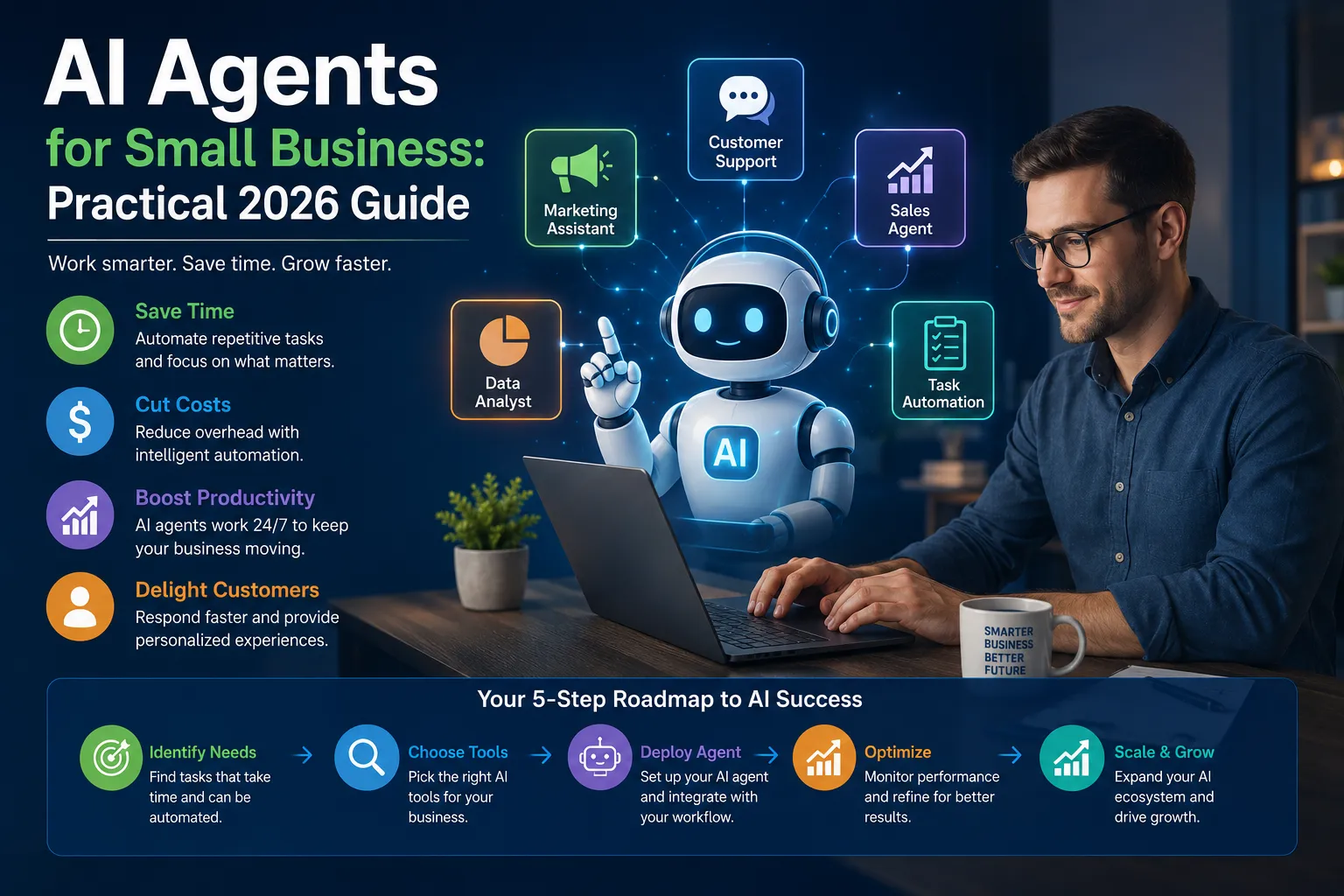
AI agents promise to answer customers, qualify leads, update records, prepare reports and manage routine business processes. The marketing pitch makes them sound like inexpensive digital employees that work continuously without supervision.
That description is convenient, but misleading.
An AI agent is not an employee. It does not possess judgment, accountability or a reliable understanding of business consequences. It is software that combines an AI model with instructions, data and permission to use other tools.
Used within a narrow, well-designed workflow, an agent can save hours of repetitive work. Given excessive authority, it can send inaccurate information, expose customer data or turn a minor AI mistake into a real financial loss.
This guide explains where AI agents can genuinely help small businesses, where they should not be trusted, and how to move from experimentation to measurable business results.

What Is an AI Agent?
Table of Contents
An AI agent is a software system that can receive a goal, examine available information, decide what steps to take and use connected tools to complete a task.
A standard chatbot generally waits for a question and returns a response. An agent can perform a sequence of actions.
For example, a sales agent might:
- Read a new website inquiry.
- Extract the customer’s requirements.
- Check whether the prospect matches the target market.
- Create a record in the customer relationship management system.
- Draft a personalized response.
- Schedule a follow-up task for a sales representative.
The AI model handles language and reasoning. Integrations allow the agent to interact with email, calendars, databases, accounting software and other business applications.
AI Agents Versus Traditional Automation
AI agents and conventional automation solve different problems. Businesses often waste money by using AI where a simple rule would be faster, cheaper and more reliable.
| Capability | Traditional Automation | AI Agent |
|---|---|---|
| Best for | Predictable, rule-based processes | Variable language and unstructured information |
| Decision method | Fixed conditions | Probabilistic model reasoning |
| Output consistency | Usually high | Can vary between runs |
| Maintenance | Rules must be updated manually | Instructions, data and behavior require monitoring |
| Common use | Send an invoice when an order is completed | Interpret a customer request and draft a response |
| Main risk | Broken or outdated workflow logic | Incorrect reasoning or unauthorized action |
If a process can be expressed as “when X happens, always do Y,” conventional automation is usually the better choice.
AI becomes useful when the system must interpret emails, documents, conversations or other information that does not follow a fixed structure.
Why Small Businesses Are Adopting AI
Small companies face a structural disadvantage. Owners and employees frequently manage several functions at once, while larger competitors can afford specialized teams for marketing, customer service, analysis and administration.
AI can narrow part of that gap by reducing the time required for repetitive knowledge work.
Adoption, however, is moving faster than strategy. Recent reporting on small-business AI readiness indicates that many organizations remain trapped in isolated experiments. They use several AI tools but have no unified process, defined success metric or formal governance.
Google Cloud’s AI Agent Trends 2026 report describes a broader move from single prompts toward agent-driven workflows that can coordinate multiple stages of business activity.
The opportunity is real. So is the danger of buying technology before identifying the problem it is supposed to solve.
Seven Practical Uses of AI Agents for Small Business
1. Customer Service Triage
An AI agent can classify incoming requests, locate relevant information and draft an initial response. It can also identify urgent complaints and route them to a human.
Suitable tasks include:
- Answering common product questions.
- Checking basic order information.
- Categorizing support tickets.
- Translating customer messages.
- Preparing response drafts.
The agent should not independently settle serious disputes, promise compensation or interpret legal obligations.
2. Sales Lead Qualification
Sales teams waste time on inquiries that lack budget, authority or genuine intent. An AI agent can extract information from forms and messages, compare it with qualification criteria and recommend the next step.
The recommendation should support the sales team—not silently reject every prospect the model considers weak. Poor qualification rules can eliminate valuable opportunities.
3. Appointment Scheduling
An agent can collect requirements, check calendar availability, suggest suitable times and send reminders. This is useful for clinics, consultants, property businesses, repair services and agencies.
Cancellation policies, working hours, time zones and staff assignments must be defined explicitly. Otherwise, the agent may create technically available but operationally impossible appointments.
4. Invoice and Expense Processing
AI can extract supplier names, invoice numbers, dates, tax amounts and line items from documents. It can compare invoices with purchase orders and flag discrepancies.
The safe approach is to let AI prepare the accounting entry while an authorized person approves the transaction. Allowing an untested agent to release payments is unnecessary risk.
5. Marketing Content Preparation
Agents can turn product information, customer questions and campaign data into content briefs, email drafts and social media variations.
The business still needs editorial control. Publishing large quantities of generic AI content is not a marketing strategy. It can weaken brand credibility and create inaccurate claims.
6. Internal Knowledge Search
Employees lose time searching through policies, product documents, project notes and training materials. A properly grounded agent can retrieve relevant information and answer questions using approved internal sources.
Every answer should show its source. If employees cannot verify where information came from, the system encourages confident guessing.
7. Routine Reporting
An AI agent can collect approved data from several systems and prepare daily, weekly or monthly summaries.
Useful reports may include:
- New leads and conversion status.
- Outstanding invoices.
- Customer support trends.
- Inventory exceptions.
- Marketing campaign performance.
- Project delays and overdue tasks.
Financial totals should come from the underlying database or accounting system. The AI should explain verified numbers, not calculate critical figures from memory.
Video: Understanding the New AI Agent Stack
This Google Cloud Tech video explains how modern AI agent platforms combine models, tools and supporting infrastructure. It is more technical than a basic business overview, but it demonstrates what sits behind an agent-driven workflow.
Watch the video directly on the Google Cloud Tech YouTube channel .
Where Small Businesses Should Not Use Autonomous Agents
The question is not whether an agent can perform an action. The question is whether the business can tolerate a wrong action.
Keep humans responsible for decisions involving:
- Final payments or bank-account changes.
- Employee hiring, dismissal or disciplinary action.
- Legal interpretations and binding commitments.
- Medical or safety-critical recommendations.
- Deletion of customer or financial records.
- Administrator-level permission changes.
- Production software deployments.
- Large refunds, discounts or contract amendments.
AI may collect information and prepare recommendations in these areas. It should not become the final authority.
The Hidden Costs of AI Agents
Agent demonstrations usually focus on the cost of the AI model. That is only one part of the real expense.
| Cost Area | What Businesses Commonly Miss |
|---|---|
| Integration | Connecting email, CRM, accounting and internal systems |
| Data preparation | Cleaning documents, records and knowledge sources |
| Model usage | Repeated calls, long conversations and failed attempts |
| Human review | Time spent checking uncertain or sensitive outputs |
| Monitoring | Logs, alerts, performance reviews and incident investigation |
| Security | Identity controls, testing and permission management |
| Maintenance | Workflow changes when vendors, models or business rules change |
A workflow that saves ten employee hours but requires twelve hours of review, troubleshooting and maintenance has not created automation. It has moved the work.
How to Choose the First AI Agent Project
Do not begin by asking, “Where can we use AI?” That question encourages teams to force AI into processes that do not need it.
Start with these questions:
- Which repetitive process currently wastes the most time?
- Does the process involve unstructured text, documents or conversations?
- Can success be measured objectively?
- Is the cost of an occasional mistake manageable?
- Can a person review important actions before execution?
- Can the process return to manual operation if the agent fails?
A good first project is repetitive, measurable, reversible and narrow.
A bad first project involves sensitive data, unclear rules, several departments and irreversible financial consequences.
A 30-Day AI Agent Implementation Plan
Days 1–5: Define the Business Problem
- Select one workflow.
- Record the current time and cost.
- Document common exceptions.
- Choose one accountable process owner.
- Define the target result.
Days 6–10: Map Data and Permissions
- List every required data source.
- Remove unnecessary sensitive information.
- Define what the agent may read.
- Define what the agent may change.
- Identify actions requiring approval.
Days 11–17: Build a Limited Prototype
- Use test accounts instead of production credentials.
- Start with read-only access.
- Test common and unusual inputs.
- Record every decision and tool call.
- Add clear failure and escalation paths.
Days 18–23: Run in Observation Mode
Let the agent produce recommendations without performing final actions. Compare its decisions with those made by experienced employees.
Observation mode reveals whether the agent works in real conditions without exposing customers or financial systems to unnecessary risk.
Days 24–27: Measure Performance
Track:
- Successful task-completion rate.
- Employee time saved.
- Number of corrections required.
- False escalations and missed escalations.
- Model and integration costs.
- Customer response time.
Days 28–30: Make the Deployment Decision
Choose one of four outcomes:
- Deploy with existing controls.
- Revise and continue testing.
- Replace the agent with conventional automation.
- Stop the project because the economics do not work.
Stopping a weak project is not failure. Continuing it because time has already been spent is failure.
How to Measure AI Agent ROI
Vague claims about productivity are useless. Measure the financial result of a specific workflow.
A practical monthly calculation is:
Net monthly value = labor savings + additional gross profit − AI costs − review costs − maintenance costs
For example:
- Employee time saved: $1,200
- Additional gross profit from faster lead response: $800
- AI and software costs: $350
- Human review and maintenance: $500
The net monthly value is $1,150—not the full $2,000 in claimed benefits.
Businesses should also track error cost. One incorrect payment or public message can eliminate months of productivity savings.
Security Rules Every AI Agent Needs
An AI agent with access to business systems is a machine identity and should be managed accordingly.
- Give every agent a separate account.
- Apply the principle of least privilege.
- Avoid permanent administrator access.
- Use short-lived credentials where possible.
- Log data access and attempted actions.
- Require approval for sensitive changes.
- Test for prompt injection.
- Create an immediate shutdown procedure.
- Review permissions regularly.
- Do not place passwords or API keys inside prompts.
Zobuz’s report on OpenAI GPT-5.6 notes the growing relevance of model selection, safety controls and cost-efficient deployment for business workloads.
The model is only one layer of security. Businesses remain responsible for controlling the data, permissions and external tools connected to it.
Common AI Agent Mistakes
Automating a Broken Process
AI does not repair unclear responsibilities or bad business rules. It accelerates the process it receives, including its defects.
Starting With Too Much Autonomy
Begin with recommendations and drafts. Expand permissions only after the agent has demonstrated reliable performance.
Ignoring Exceptions
A workflow may look simple because employees handle exceptions silently. Those exceptions become visible when software encounters them.
Using AI for Basic Rules
Do not pay a language model to determine whether an invoice is overdue when a database query can answer the question exactly.
Measuring Activity Instead of Value
The number of prompts, generated messages or completed tasks does not prove business value. Measure time, cost, revenue, error rates and customer outcomes.
Questions to Ask an AI Agent Vendor
- Where is our data stored?
- Is customer data used to train shared models?
- Can we control retention periods?
- Which employees can view agent conversations?
- Can the system enforce role-based permissions?
- Does it maintain an audit trail?
- Can we export our data and configuration?
- What happens if the service becomes unavailable?
- How quickly can access tokens be revoked?
- How are model and pricing changes communicated?
- Does the vendor support human approval workflows?
- Who is responsible when an integration performs the wrong action?
If a vendor cannot answer these questions clearly, it is not ready to control an important business process.
The Bottom Line
AI agents can give small businesses capabilities that previously required larger teams. They can classify requests, prepare responses, organize information and coordinate routine work across several applications.
The biggest mistake is confusing technical capability with operational readiness.
Start with one narrow workflow. Use restricted access. Keep humans responsible for consequential decisions. Measure the complete cost, including review and maintenance. Expand only when the evidence justifies expansion.
The goal is not to build the most autonomous business. The goal is to create a more efficient business without surrendering control of its customers, money and reputation.
Frequently Asked Questions
What is an AI agent for small business?
An AI agent is software that can interpret information, decide what steps to take and use connected business tools to complete a defined task. It may work with email, calendars, customer records, documents or accounting applications.
What is the best first AI agent for a small business?
The best first agent handles a narrow, repetitive and reversible workflow. Customer inquiry classification, response drafting and internal document search are usually safer starting points than payments or database administration.
How much does an AI agent cost?
Costs vary by model usage, software subscription, integrations, data preparation, human review and maintenance. Businesses should calculate total workflow cost rather than looking only at the monthly AI subscription.
Can an AI agent replace employees?
An agent can automate parts of a role, but it does not provide human accountability, judgment or relationship management. Most small businesses will gain more by using AI to support employees than by attempting immediate role replacement.
Are AI agents safe?
AI agents can be operated safely when their permissions are limited, activity is logged, sensitive actions require approval and an immediate shutdown process exists. An unrestricted agent connected to important systems creates substantial risk.
How do you measure AI agent ROI?
Measure labor savings and additional gross profit, then subtract model charges, software costs, review time, maintenance expenses and the financial cost of errors.